Skip to main content
How To Use The Help Center
How To Use The Help Center
- Go to https://calbar.zendesk.com
- Choose one of three options to make a request:
- Something is Not Working
- Request Something New
- Request New IT Project
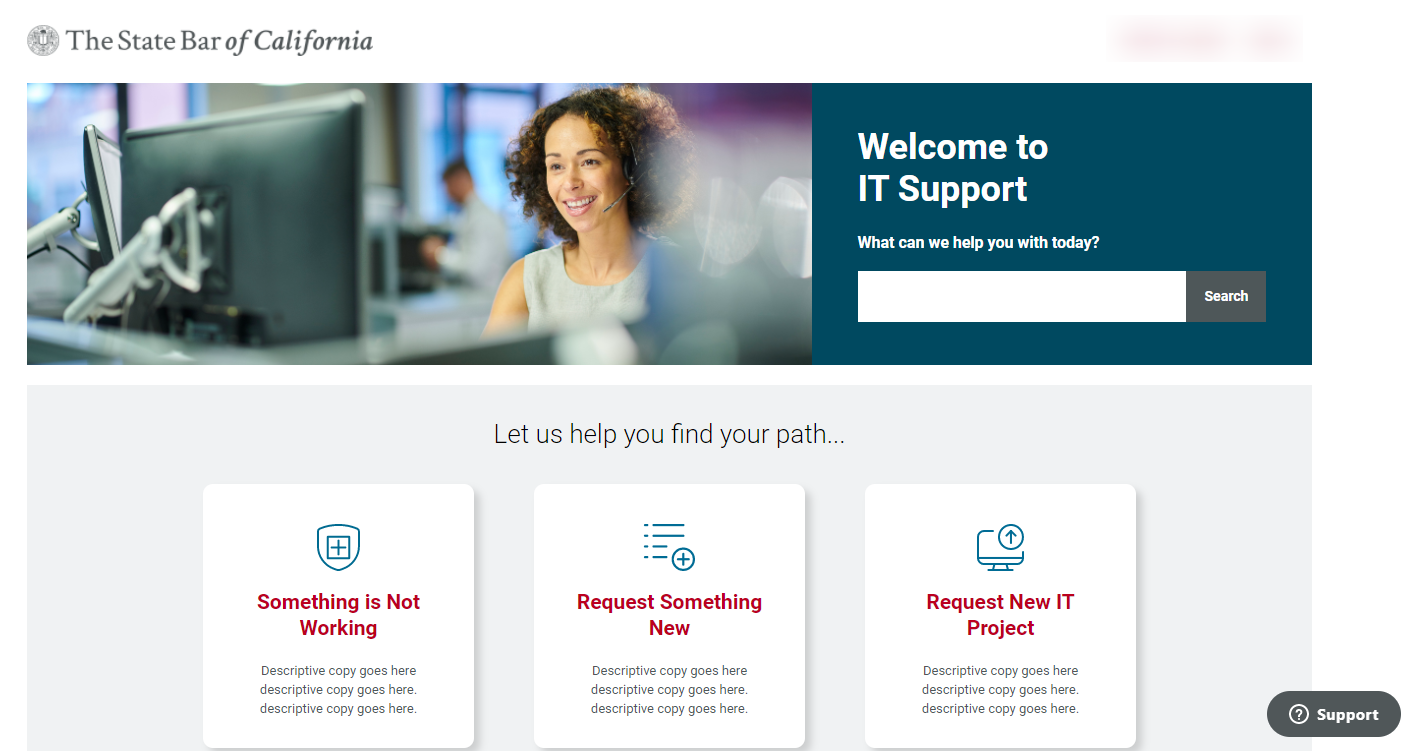
- Once a selection is made, a form will appear:
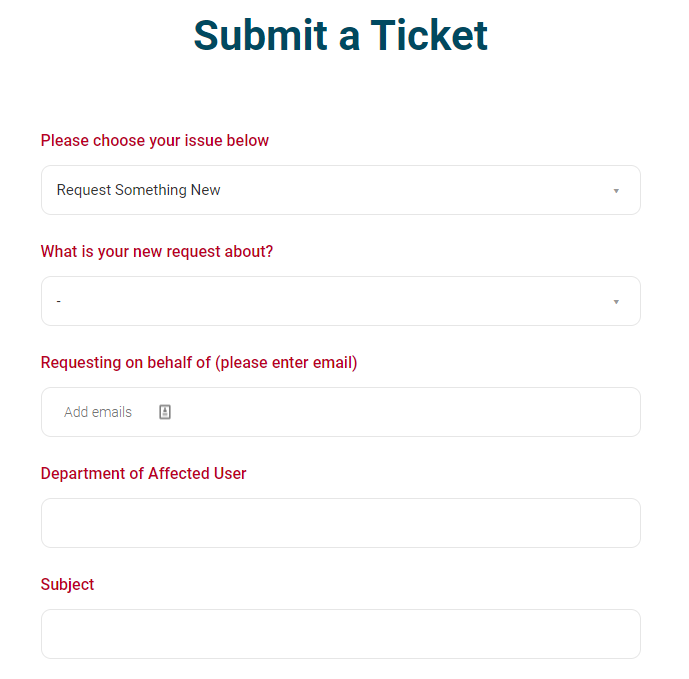
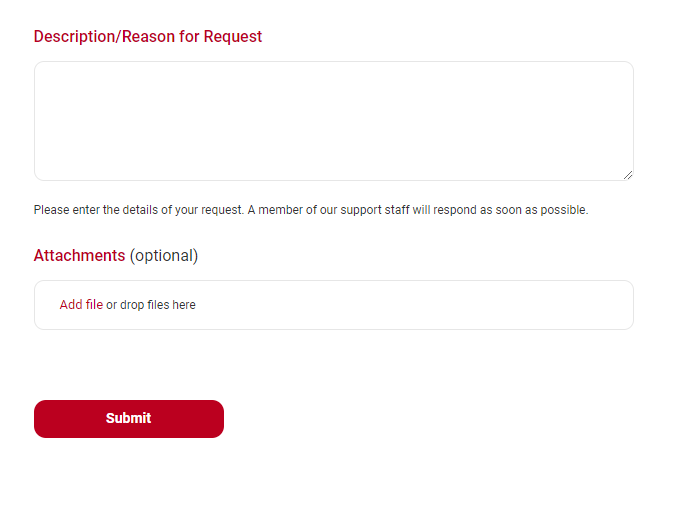
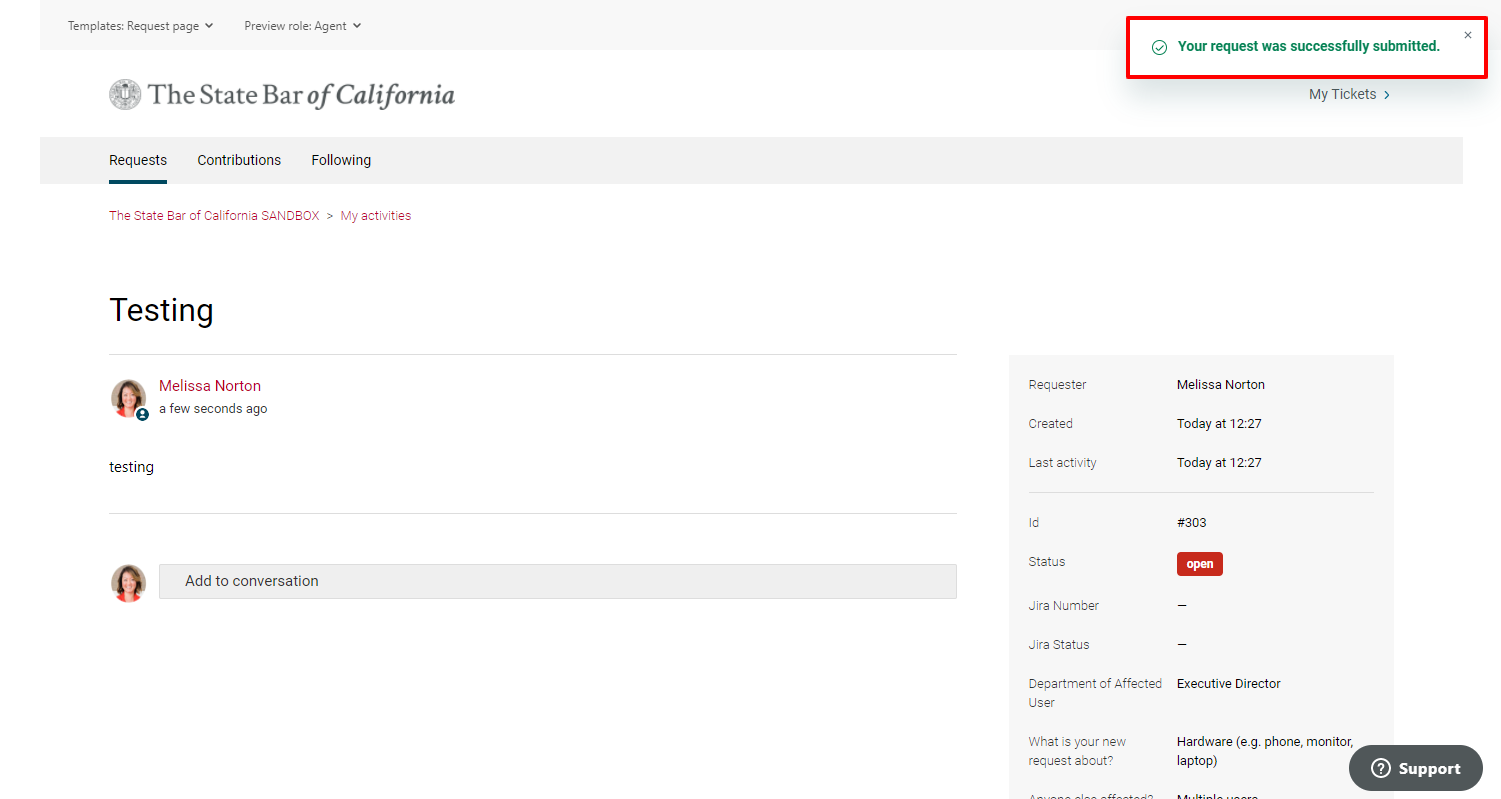
- Once Submit is clicked, a notification will appear in the top right corner:
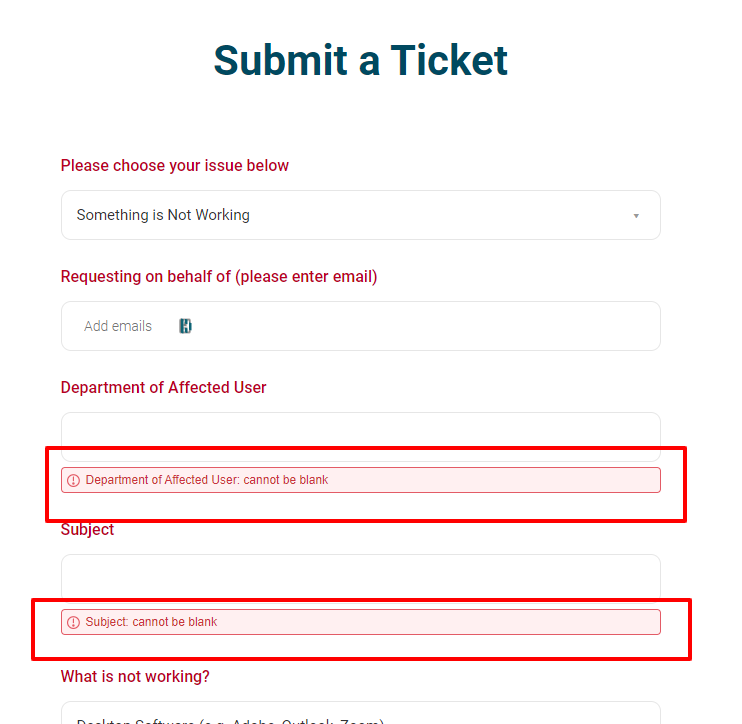
- If fields were not filled out properly, the form will not submit and red disclaimers will appear where more information is required:
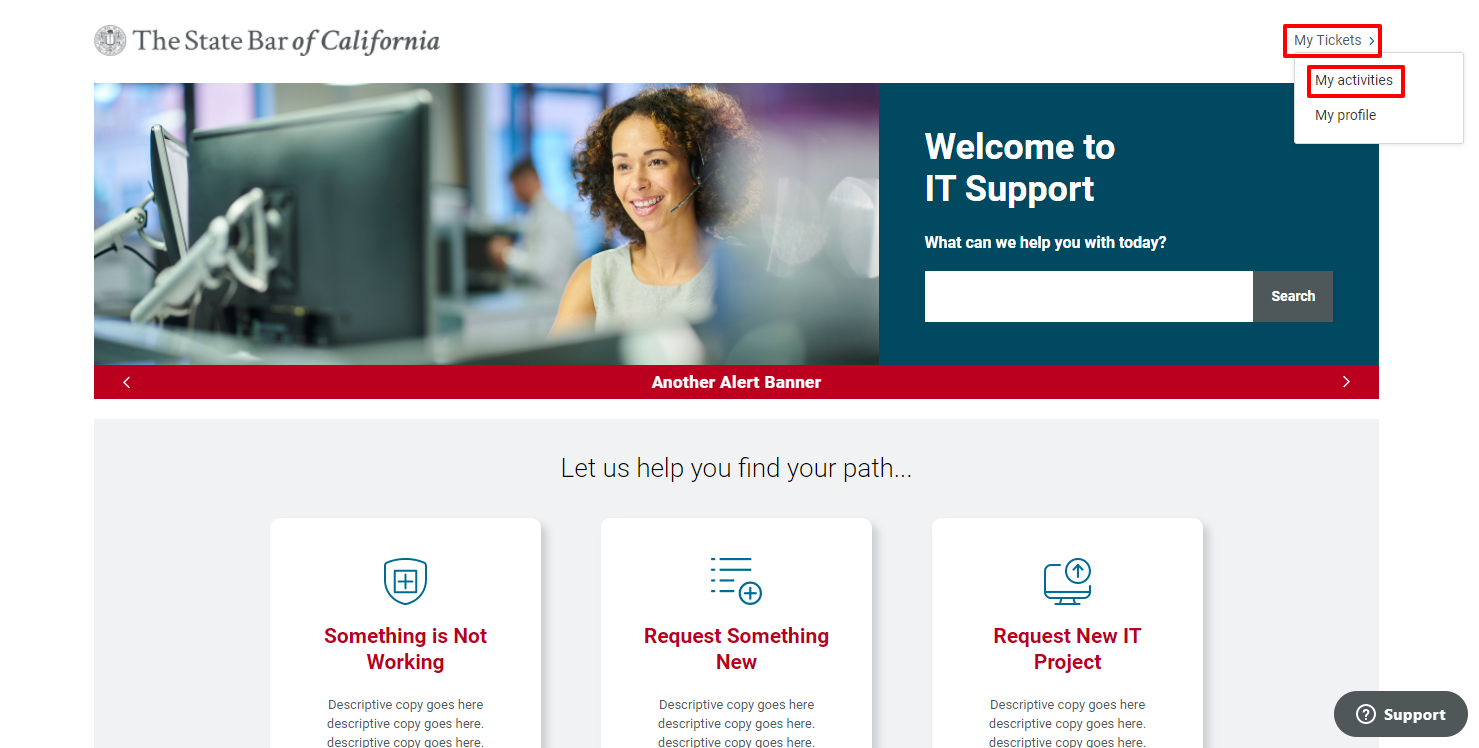
- To track your requests or add additional information to your ticket from the interface, click on My Tickets > My Activities in the top right corner:
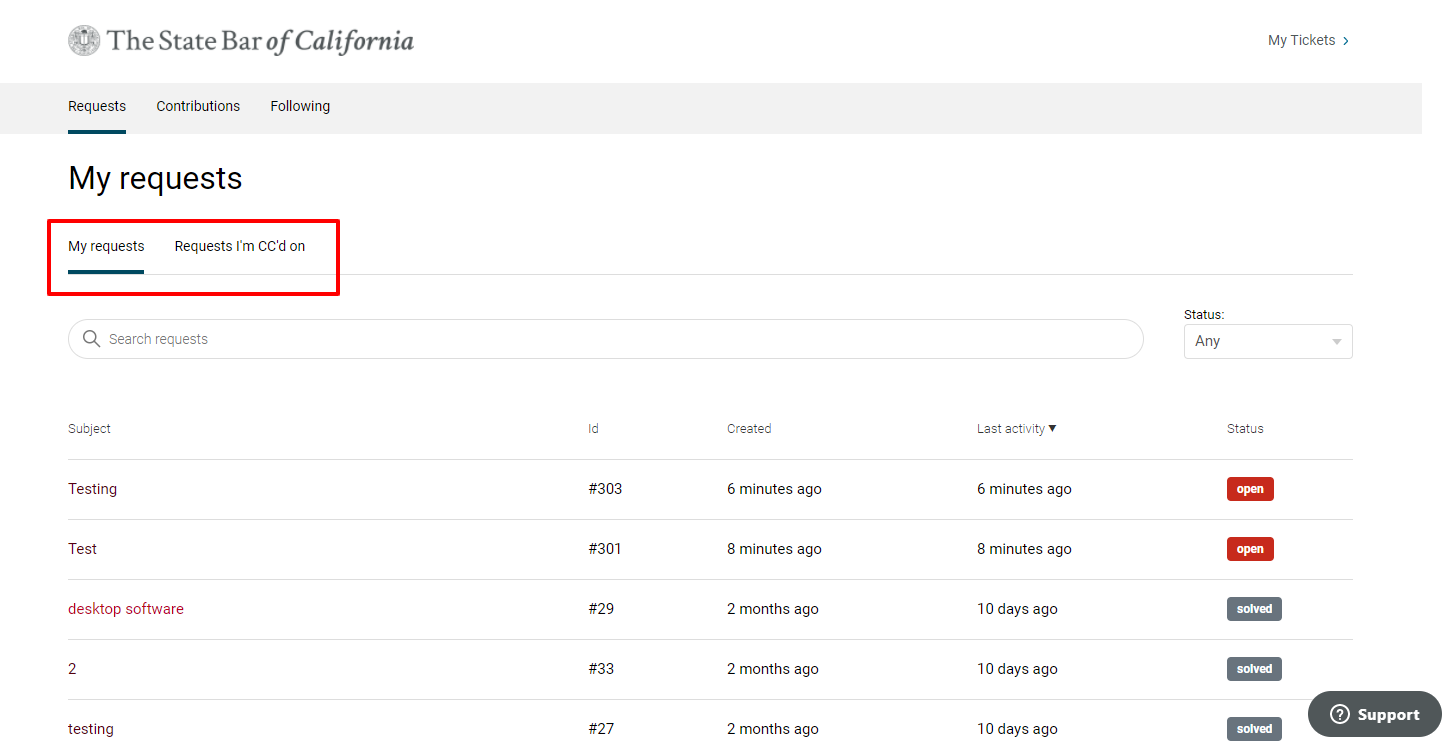
- From here you will see a list of your requests and requests you are CC’d on:
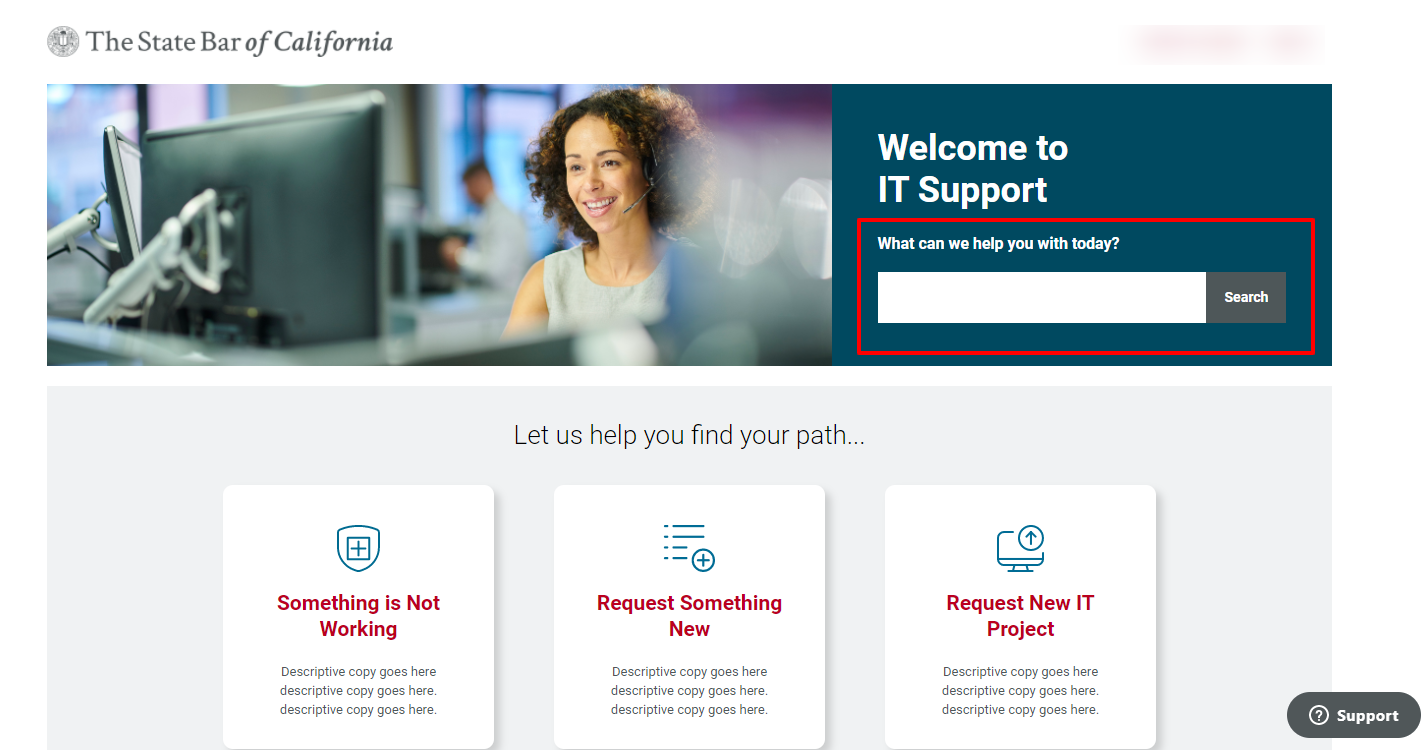
- There will also be articles and announcements contained in the Help Center. To search the database, use the search bar:


Comments
0 comments
Please sign in to leave a comment.